Roadmap & Issues
❇️ View the official Padel API public roadmap.
Our product roadmap is where you can learn about what features we’re working on, what stage they’re in, and when we expect to bring them to you. Have any questions or comments about items on the roadmap? Share your feedback via Padel API public issues.
Tournaments Coverage
To guarantee the highest data quality and consistency, Padel API currently focuses on the following tournament levels.
This ensures comprehensive and timely coverage of draws, schedules, matches, results, and statistics.
Feature availability varies by tournament level. Refer to the tables below for the current availability of Results, Stats, and Live coverage.
Padel FIP & Premier Padel
Lower-tier events (such as FIP Rise, FIP Promises, national or exhibition events, and qualifiers) may have incomplete or inconsistent data at the source, so we cannot guarantee the same quality.
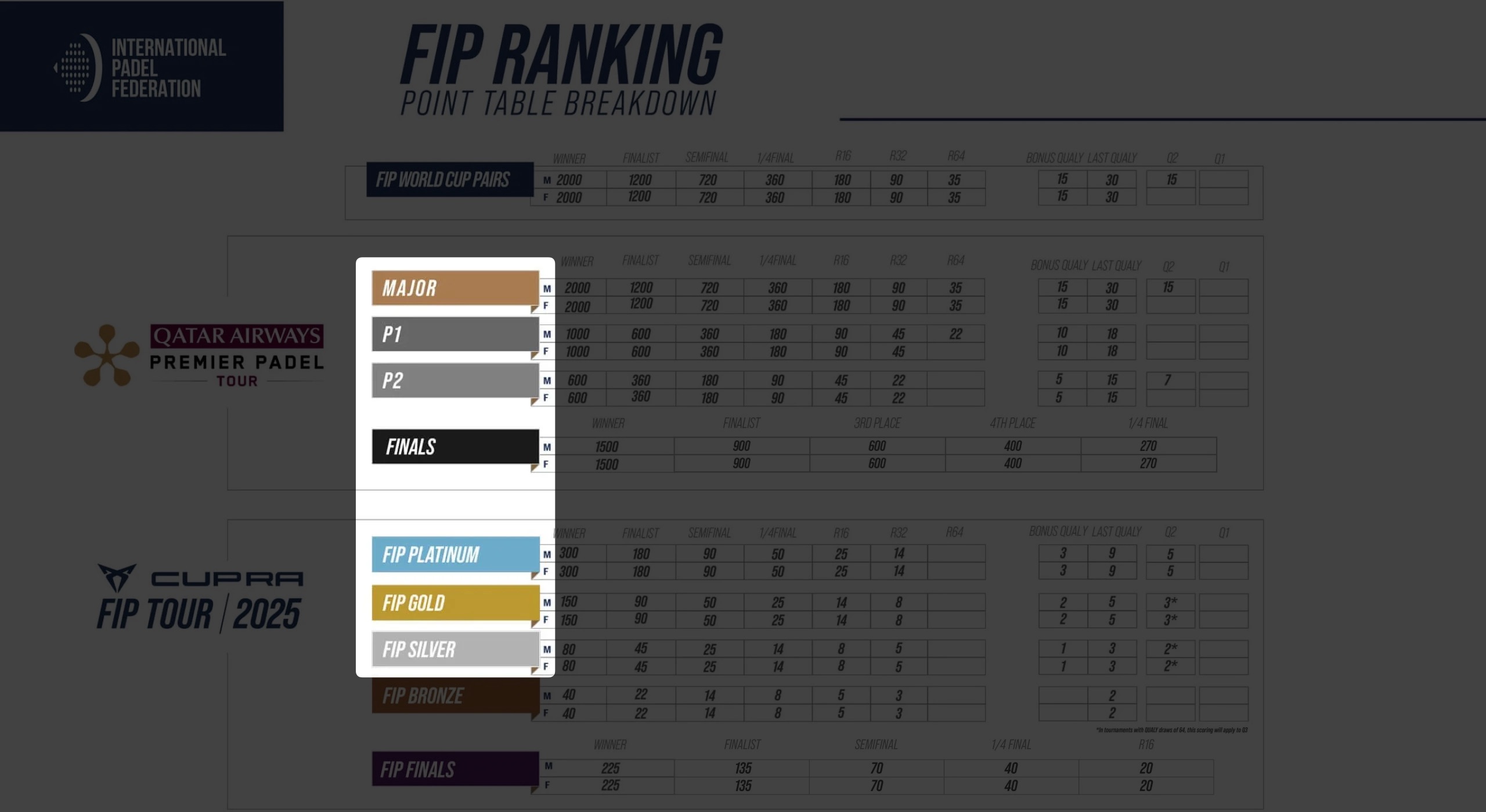
| Level | Score | Stats | Point by point |
|---|
major | ✅ | ✅ | ✅ |
p1 | ✅ | ✅ | ✅ |
p2 | ✅ | ✅ | ✅ |
finals | ✅ | ✅ | ✅ |
fip_platinum | ✅ | ✅ | ✅ |
fip_gold | ✅ | ❌ | ❌ |
fip_silver | 🔜 | ❌ | ❌ |
fip_other* | ✅ | ❓ | ❓ |
World Padel Tour
Coverage currently includes 2023 World Padel Tour events. Additional historical data is being collected and will be added as it meets quality standards.
| Level | Score | Stats | Point by point |
|---|
wpt_master | ✅ | ❌ | ❌ |
wpt_1000 | ✅ | ❌ | ❌ |
wpt_500 | ✅ | ❌ | ❌ |
wpt_final | ✅ | ❌ | ❌ |
Authentication
The Padel API uses API tokens to authenticate requests. These are provided to you on your API Tokens management page.
To authenticate, you need to include an Authorization header in all of your requests. In this header, you must state that you’re using an API token (similar to HTTP basic access authentication).
For example:
curl -i -X GET \
  'https://padelapi.org/api/seasons' \
  -H 'Authorization: Bearer YOUR_API_TOKEN_HERE'
Authorization header at all, you’ll receive a 401 status code as response
Several endpoints return paginated results.
By default, the Padel API only returns the first 15 results for those endpoints. You can use optional query parameters to increase or decrease the number of results.
| Parameter | Description |
|---|
per_page | Number of results to return per page (default: 15, min: 1, max: 50) |
page | Page number to retrieve |
Rate Limits
The Padel API limits the number of requests you can make to protect the service and ensure fair usage for all users.
| Limit | Value |
|---|
| Requests per minute | 60 |
429 Too Many Requests error. Wait until the next minute before making additional requests.
The API includes the following headers in responses to help you track your usage:
| Header | Description |
|---|
X-RateLimit-Limit | Maximum number of requests allowed per minute |
X-RateLimit-Remaining | Number of requests remaining in the current window |
Use caching strategies and monitor X-RateLimit-Remaining to avoid hitting the limit.
Status Codes
The Padel API uses conventional HTTP response codes to indicate whether a request was successful (2XX codes) or resulted in an error (4XX and 5XX codes).
See the Error Codes page for details on each status code.