Prerequisites
Before you begin, make sure you have:ChatGPT Plus/Pro Account
MCP connectors require a ChatGPT Plus or Pro subscription
Padel API Token
Get your token from the API Tokens page
Installation Steps
1
Open ChatGPT Settings
Click on your profile icon in the bottom-left corner of ChatGPT and select Settings from the menu.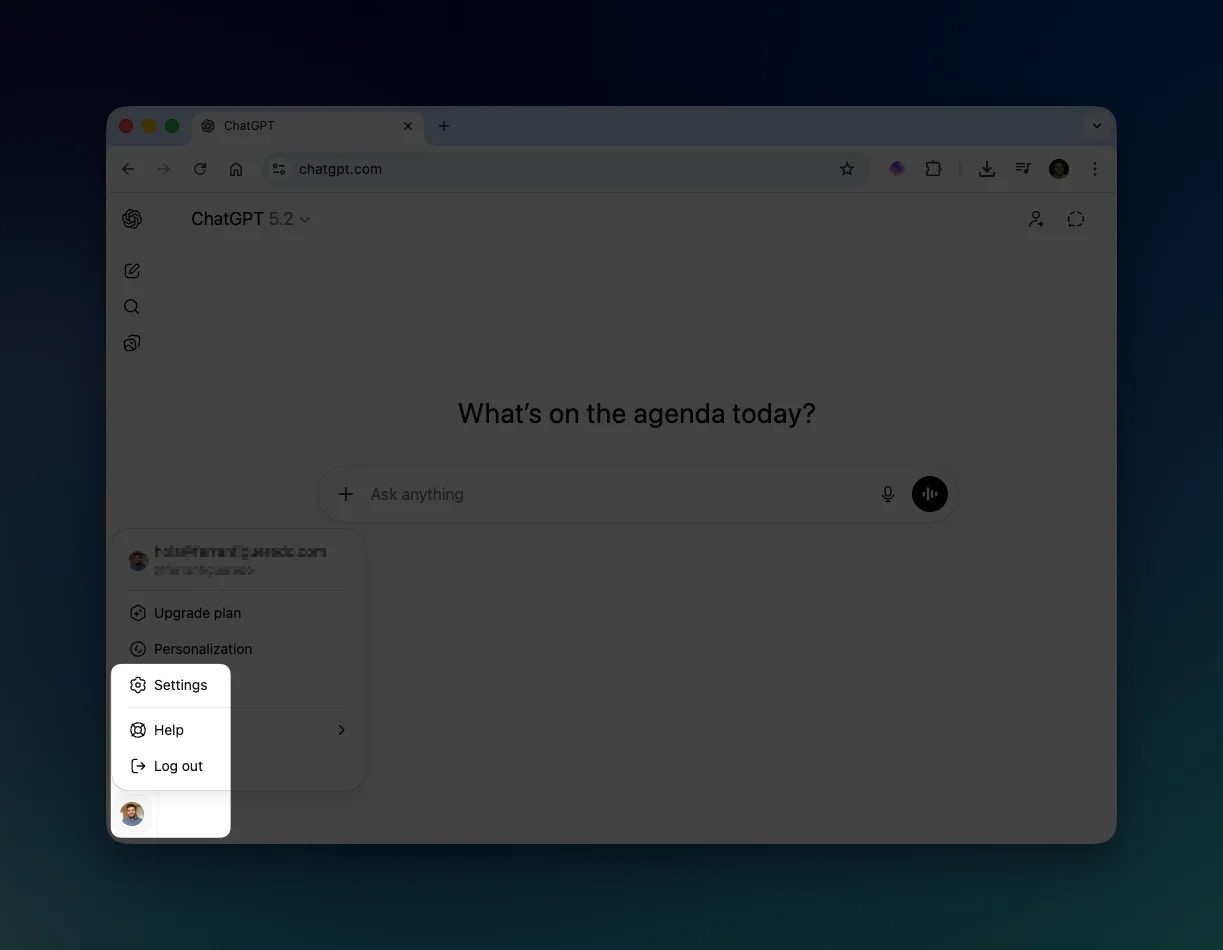
2
Navigate to Apps
In the Settings panel, click on Apps in the left sidebar. Then click on Advanced settings.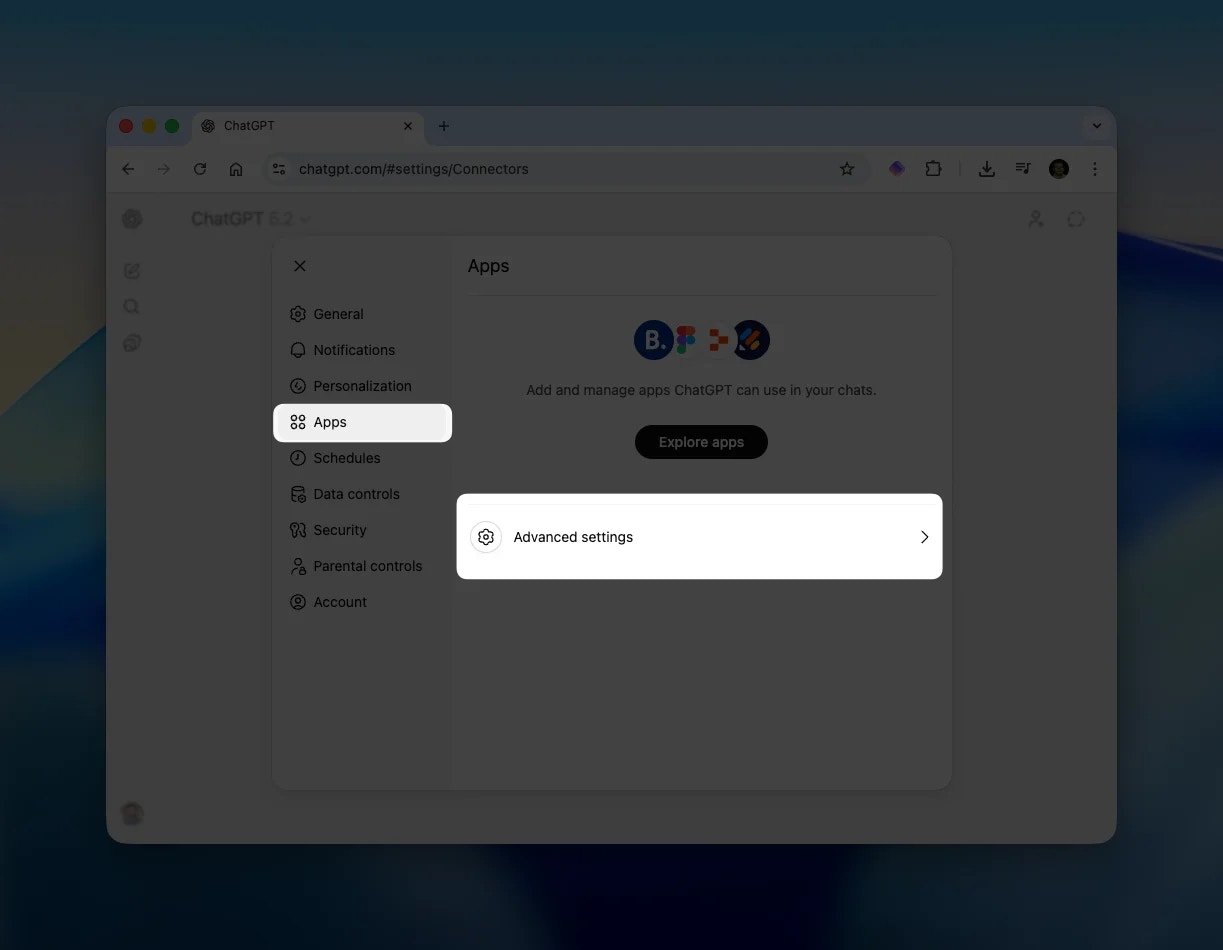
3
Enable Developer Mode
Toggle Developer mode to enable it. This allows you to add custom MCP servers to ChatGPT.Then click the Create app button in the top-right corner.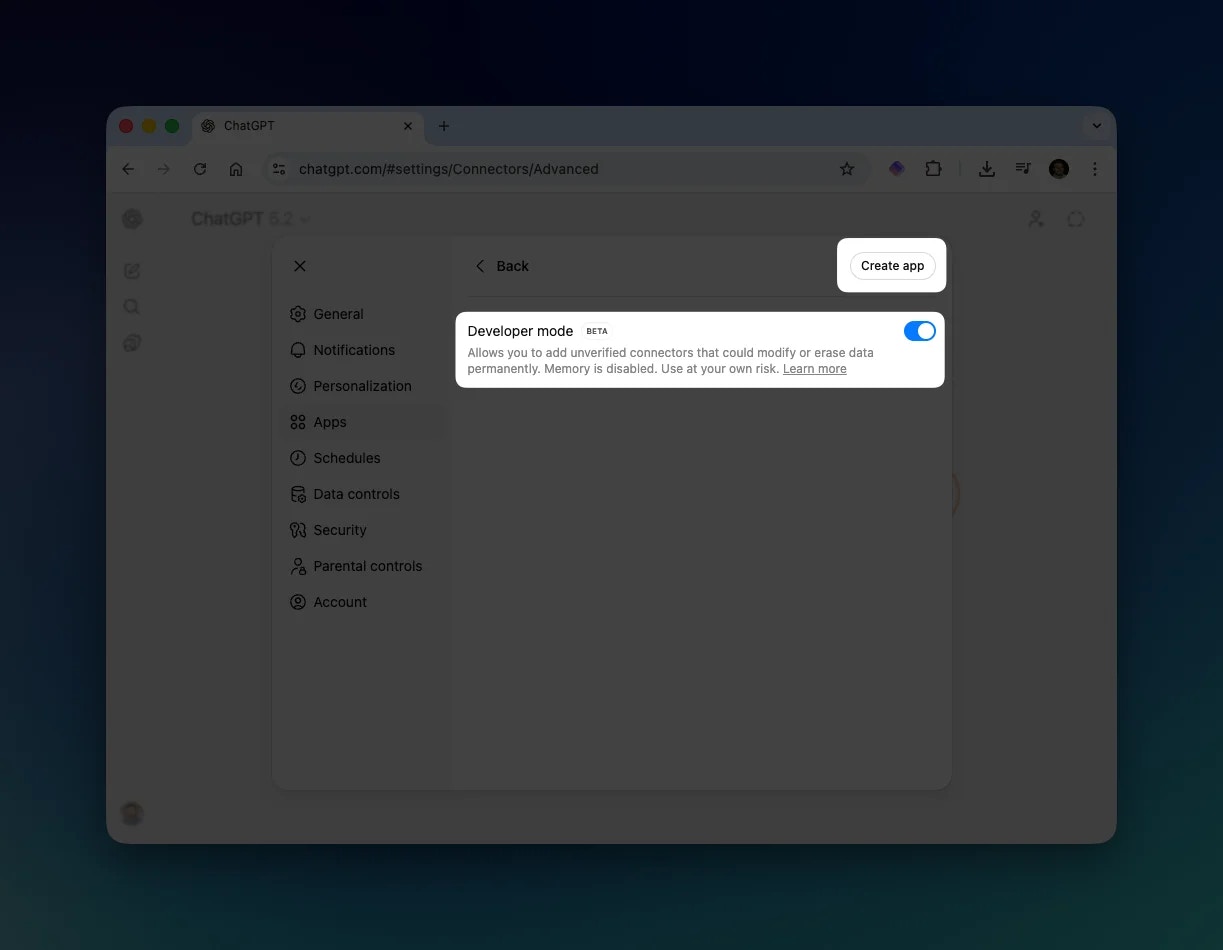
4
Add Padel Analyst
In the “New App” dialog, enter the following details:
Replace 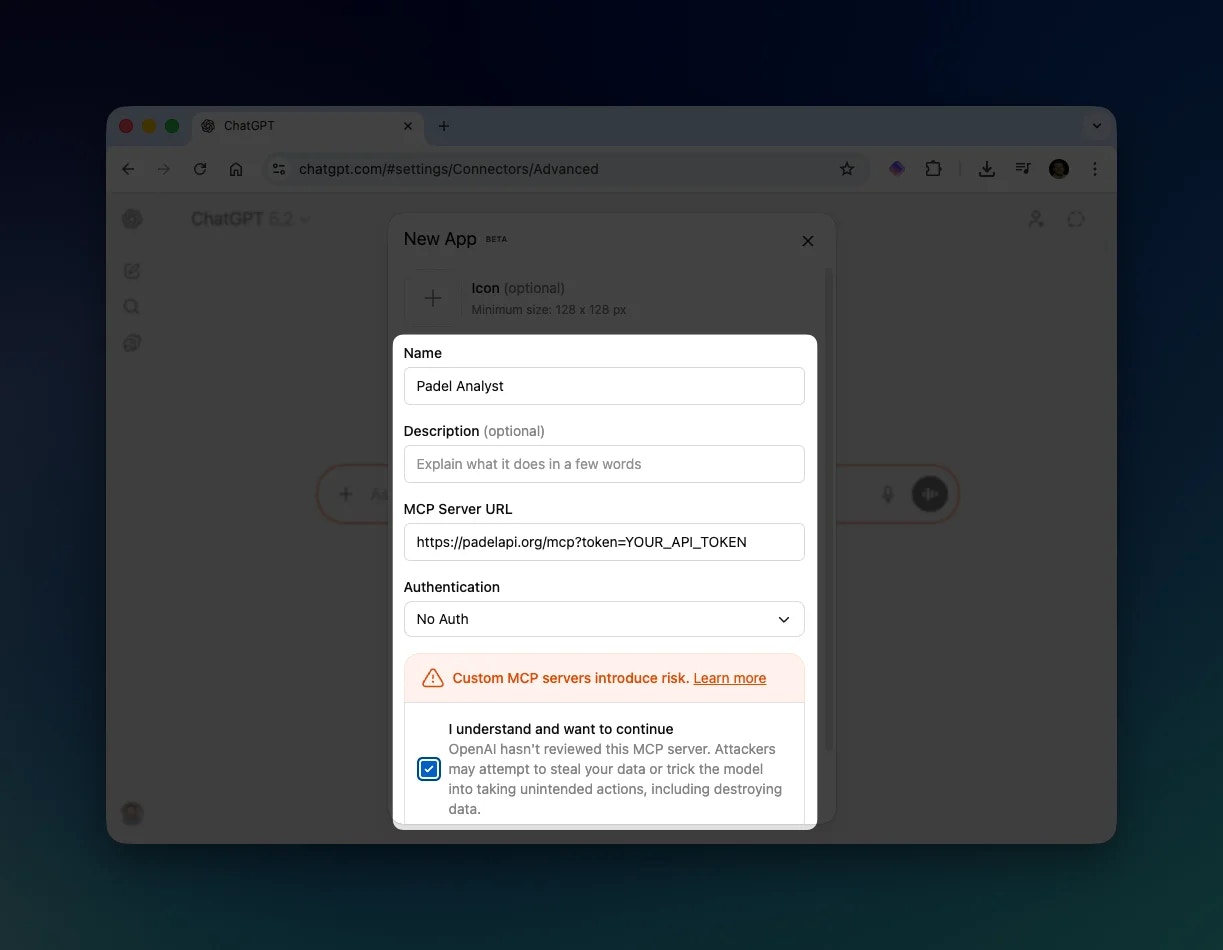
| Field | Value |
|---|---|
| Name | Padel Analyst |
| MCP Server URL | https://padelapi.org/mcp?token=YOUR_API_TOKEN |
| Authentication | No Auth |
YOUR_API_TOKEN with your actual API token from the API Tokens page.Check the box “I understand and want to continue” to acknowledge the warning about custom MCP servers.Click Save to add the connector.5
Start Using Padel Analyst
In any chat, click the + button next to the message input. Navigate to More and select Padel Analyst from the list.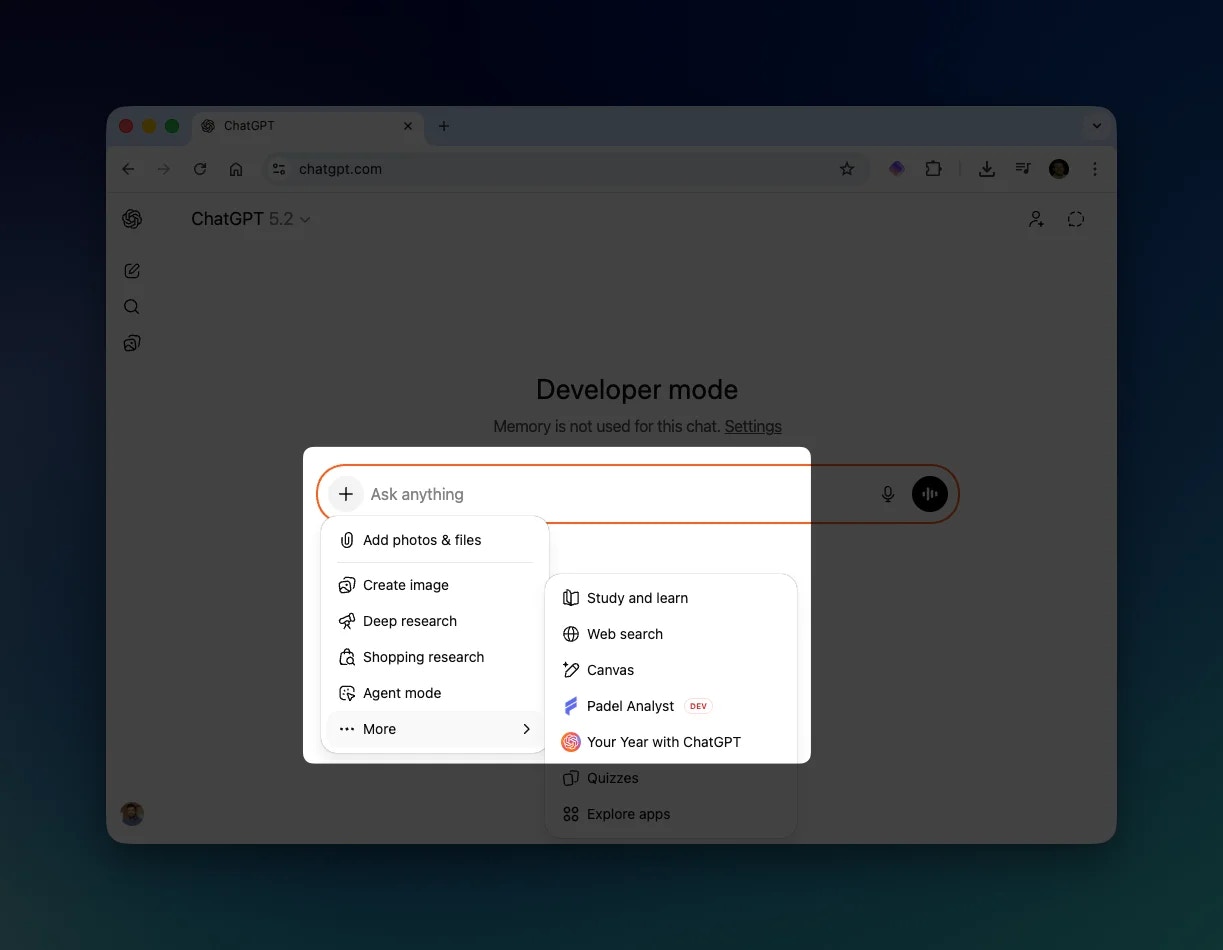
Using Padel Analyst
Once enabled, you can ask ChatGPT questions about professional padel. ChatGPT will automatically use Padel Analyst tools to fetch the data.Example Response
Here’s an example of ChatGPT fetching match data using Padel Analyst: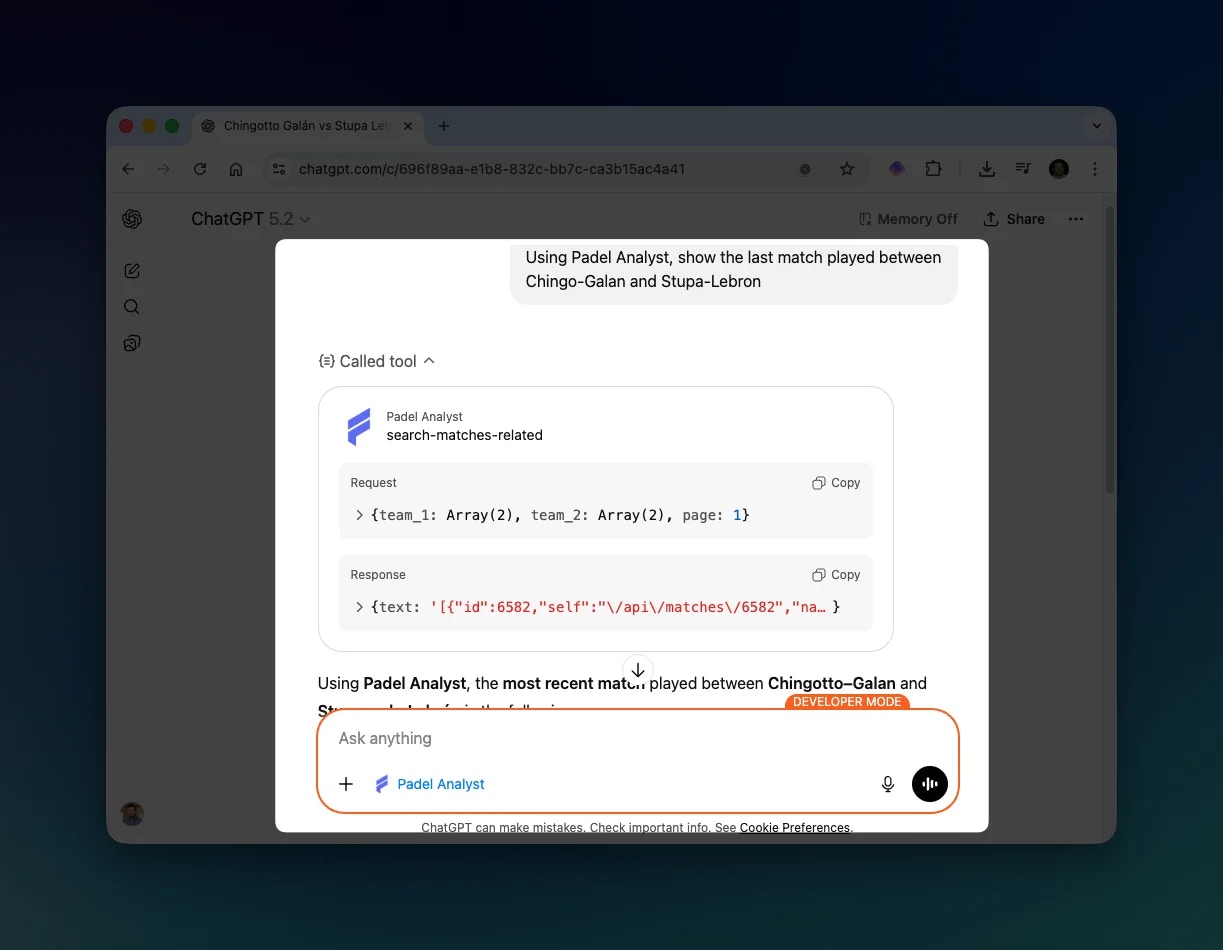
Example Questions
Try asking ChatGPT questions like:- “Who won the last Premier Padel Major?”
- “Show me the head-to-head between Lebron/Galan and Coello/Tapia”
- “What are Arturo Coello’s statistics this season?”
- “List all P1 tournaments in 2025”
- “Simulate a match between the top two ranked pairs”
Troubleshooting
Developer mode not available
Developer mode not available
Make sure you have a ChatGPT Plus or Pro subscription. Free accounts don’t have access to Developer mode.
Authentication errors
Authentication errors
Verify that your API token is correct and included in the MCP Server URL. The token should be passed as a query parameter:
?token=YOUR_API_TOKENPadel Analyst not appearing in menu
Padel Analyst not appearing in menu